Independent product
ANANSI
A private messenger that keeps your conversations on your devices
ANANSI is a private messenger I am building for everyday conversations that do not have to pass through anyone’s cloud. Messages, files and history are meant to live only on the participants’ phones and computers, encrypted, and to travel through a network that hides where each person is connecting from. It is unfinished, and nothing on this page is a security guarantee.
- My part
- Product definition, security requirements, design and engineering direction, built with AI coding agents
- Status
- In development, not yet published
- Stack
- Rust, Tauri, React, TypeScript
- Since
- 2026
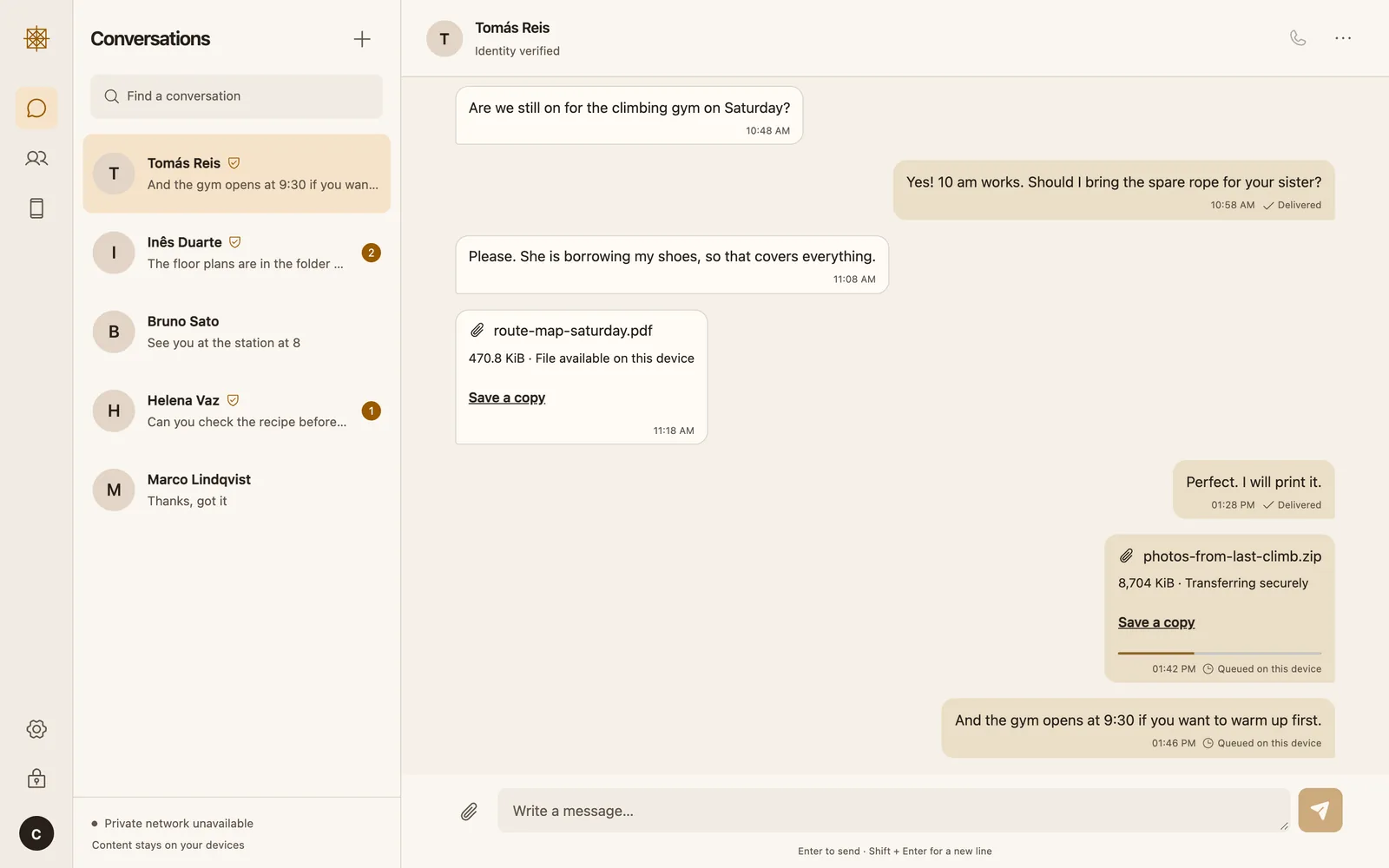
Who keeps your conversations?
Most messengers encrypt what you write, but your account still lives on a company’s servers: a phone number, an address book uploaded for matching, often a backup of your history in someone’s cloud. When you delete something, you rarely know where else it still exists.
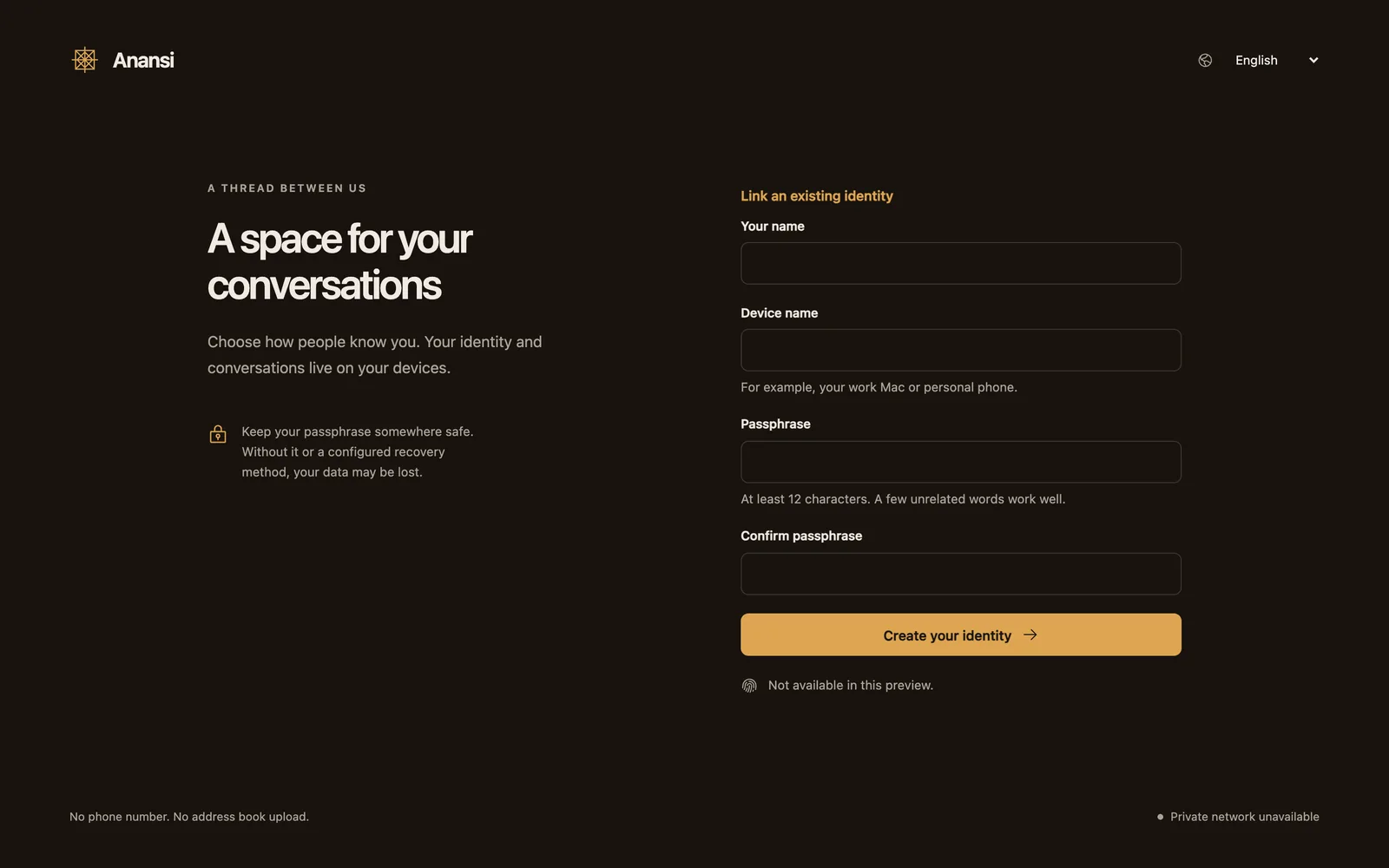
ANANSI starts from the other end. You create an identity on your own device with a name and a passphrase, with no phone number and no address book upload. Messages, files, voice notes and history are meant to stay on the participants’ devices, in encrypted storage, and nowhere else.
The rules came first
I set the red lines before any code. No cloud copy of messages, files or history. Your network address must stay hidden from the people you talk to, with no direct connection as a fallback. No blockchain. And a screen must never claim more than the app can show: “delivered” only after the other device confirms, “connected” only for a real connection.
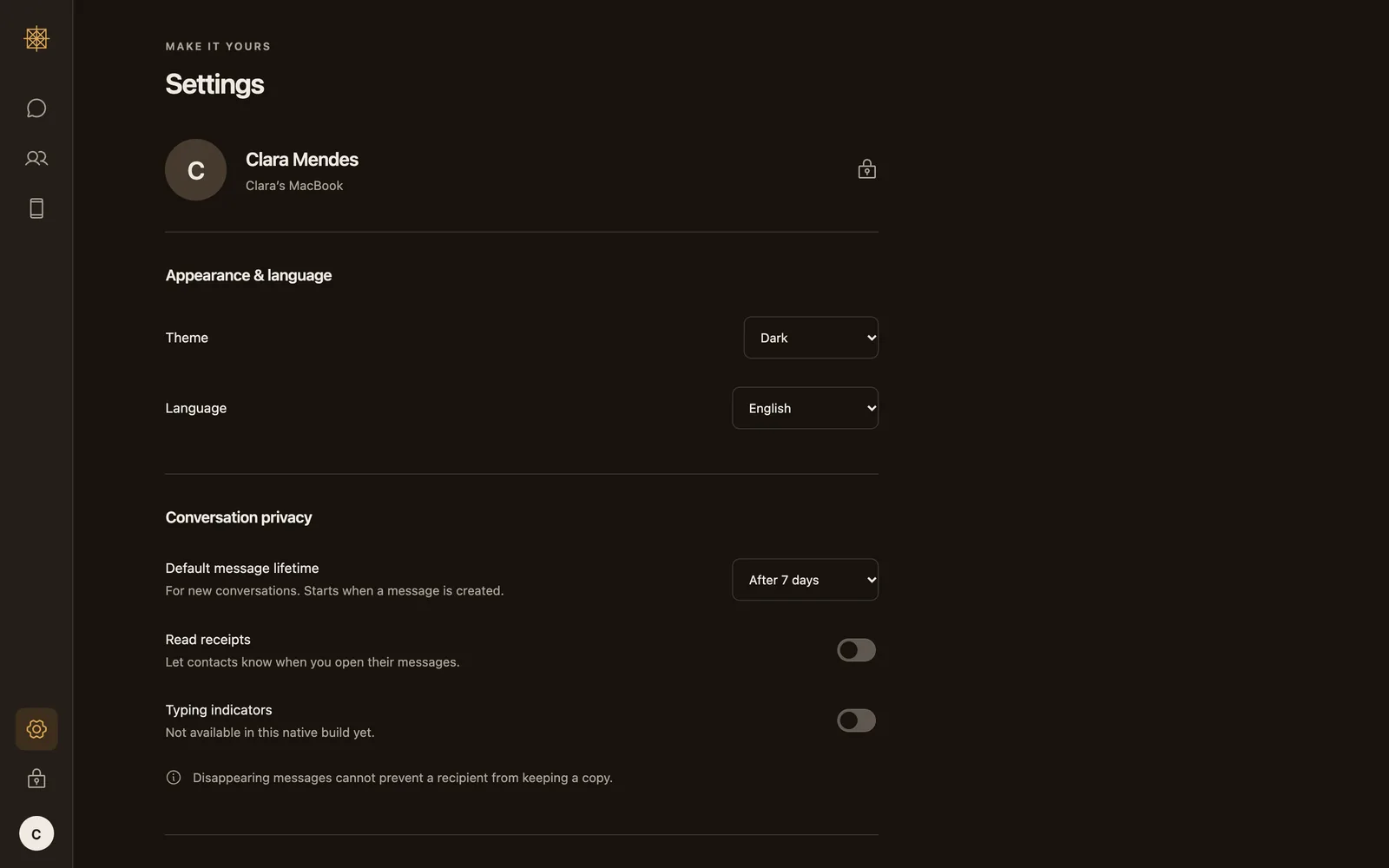
The interface follows from that. The conversation comes first, and security detail appears when it helps you decide something. Read receipts and typing indicators start switched off. Anything that is not ready says so instead of pretending.
How it is meant to work
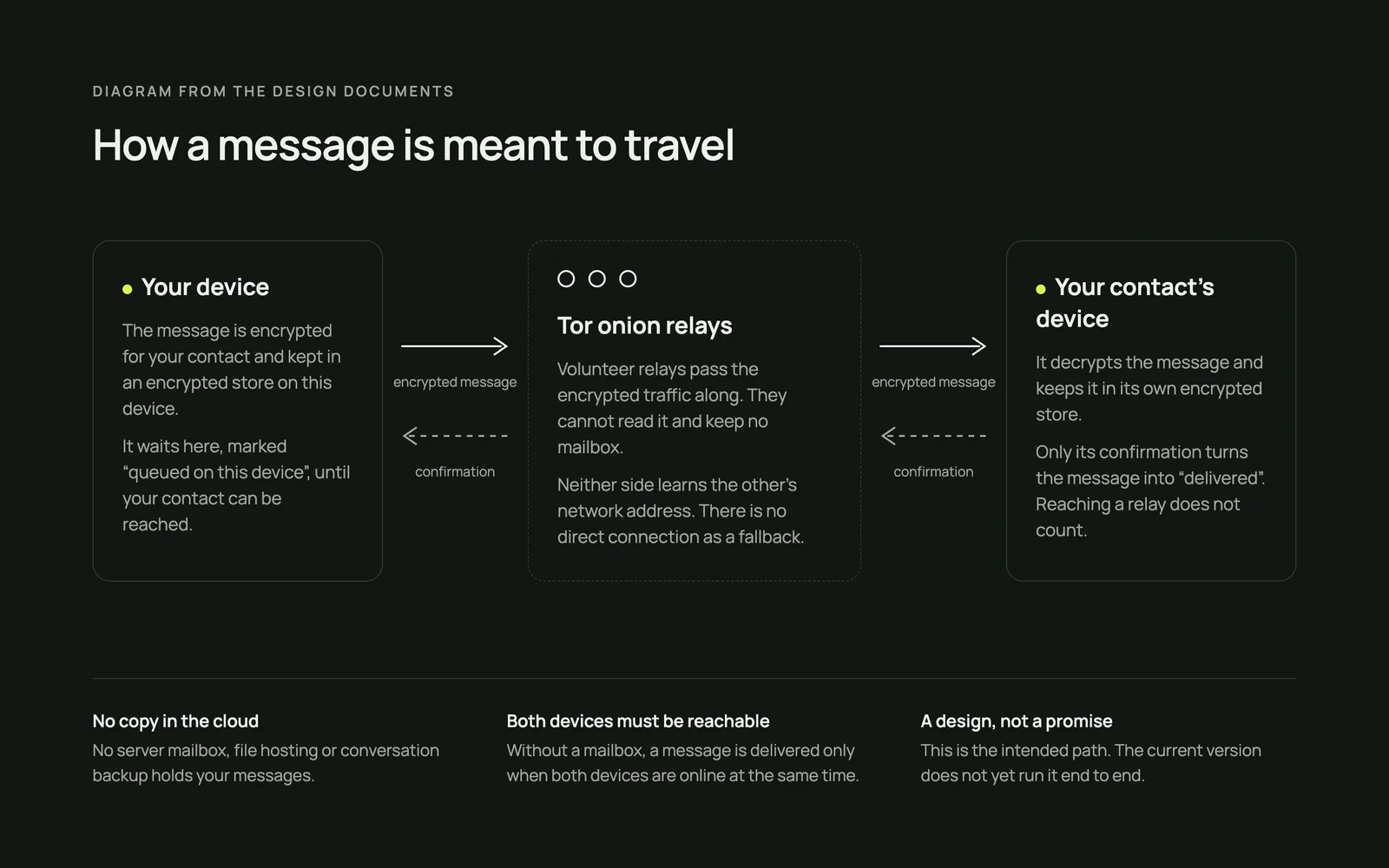
There is no server keeping a mailbox for you. When you send a message, your device encrypts it for your contact and holds it in a local queue. It travels through Tor onion services, a network of volunteer relays that pass encrypted traffic along without being able to read it, so neither side learns where the other is connecting from.
The message shows as delivered only when your contact’s device confirms it. The trade-off is deliberate: without a mailbox, both devices have to be reachable at the same time, and a phone the system has put to sleep can delay delivery. Files and voice notes take the same path, in encrypted pieces that are checked before they count as received.
Knowing who is on the other end
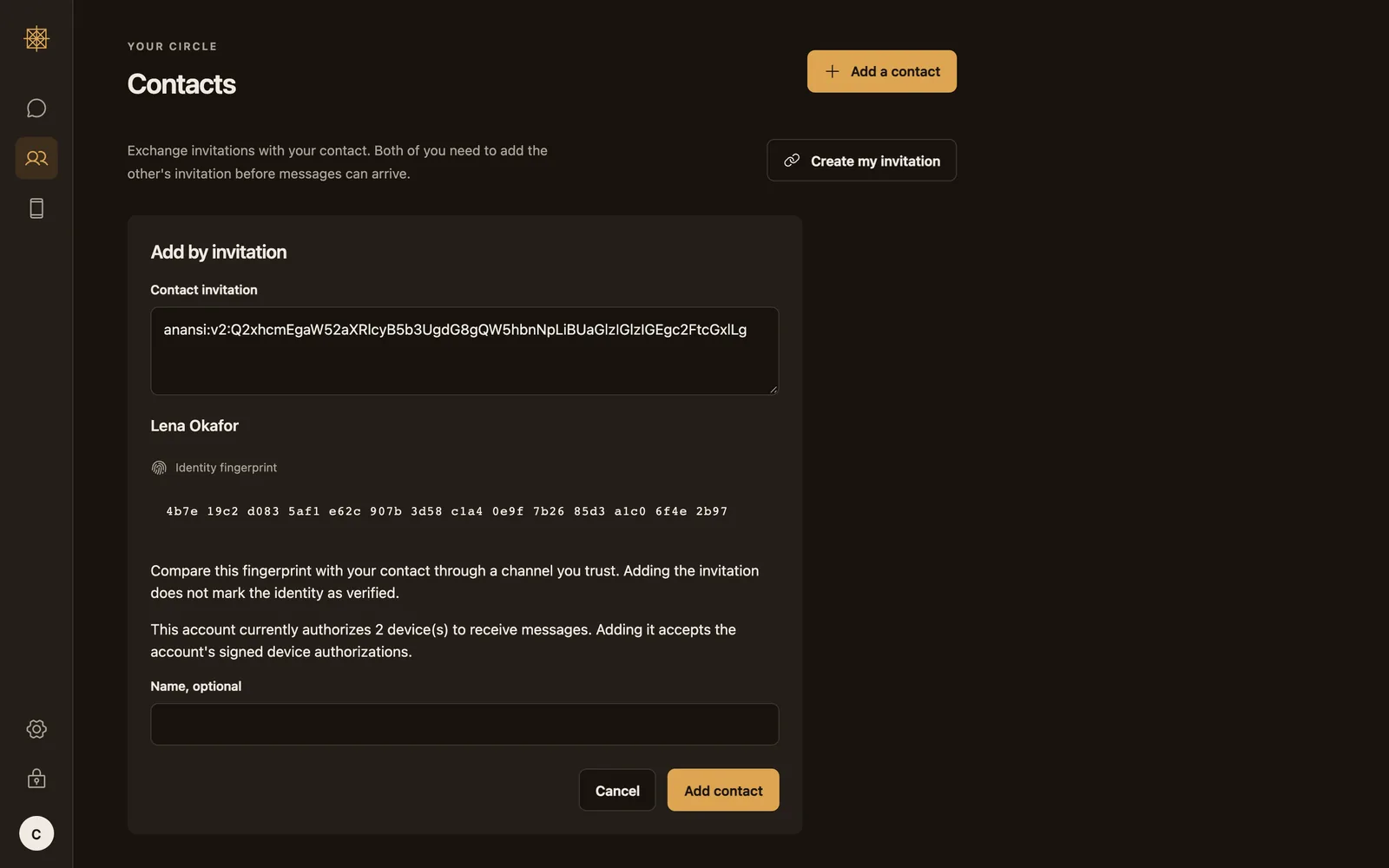
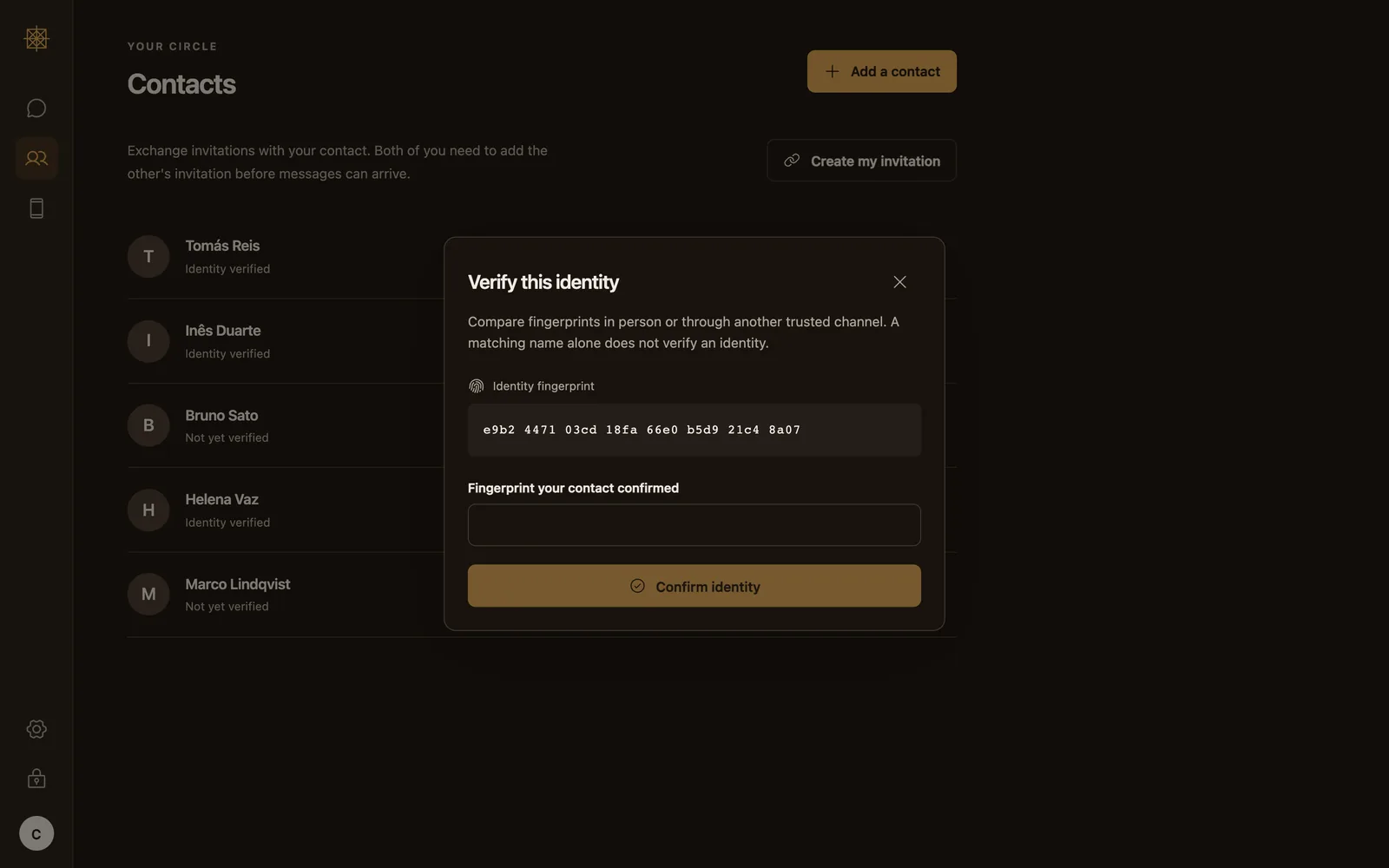
You add a contact by exchanging invitations. Each identity has a fingerprint, a short string of characters, and the app asks you to compare it with your contact in person or through a channel you already trust. Adding someone does not mark them as verified; comparing the fingerprint does.
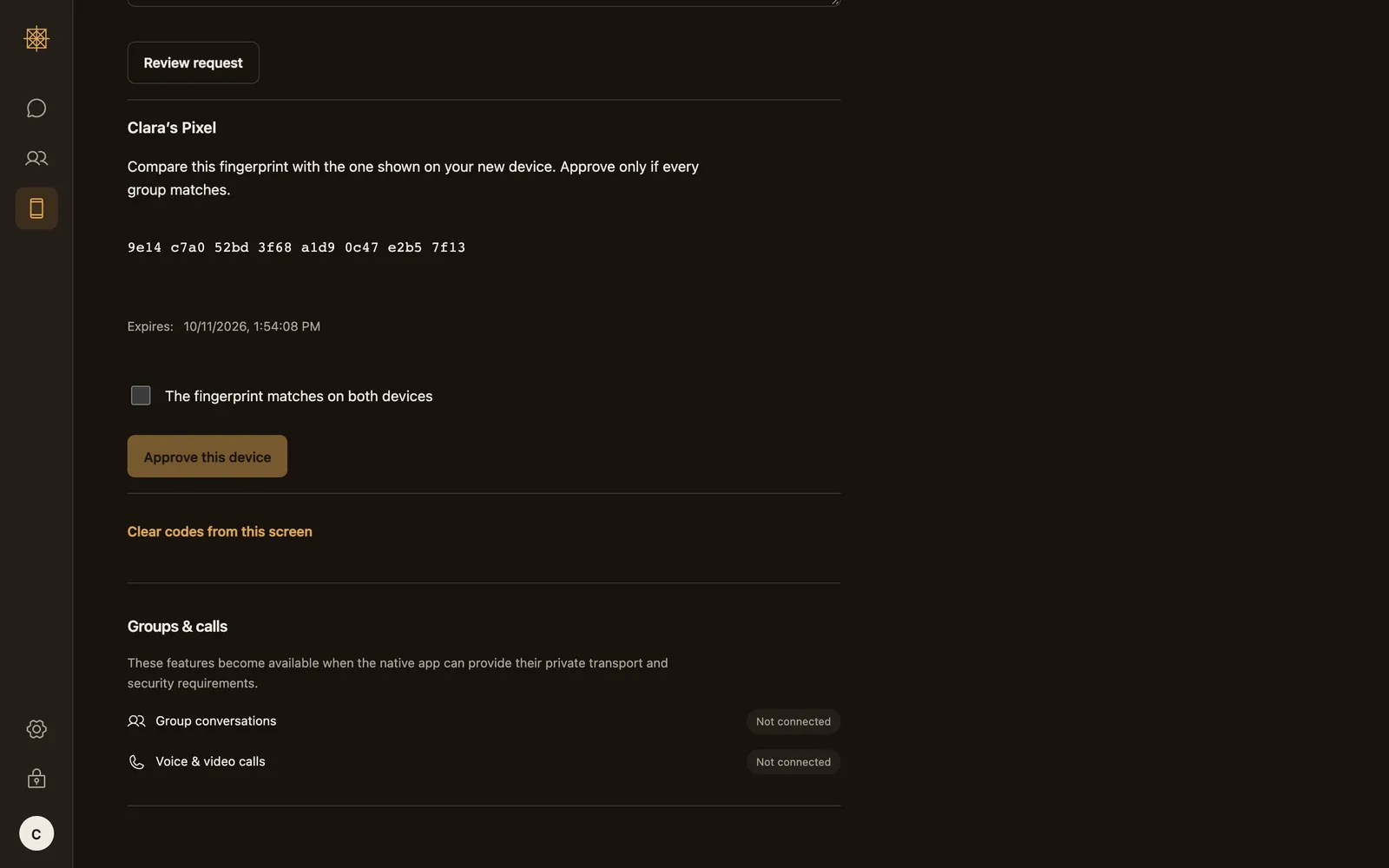
If a contact’s identity changes, the app treats it as a security event and asks you to choose, instead of quietly trusting the new key. Adding a second device of your own, like a phone next to a laptop, follows the same rule: you approve it from a device you already have, after the fingerprints match on both screens.
Messages that expire, and a wipe that does not wait
Every conversation has a lifetime, seven days by default, from one minute to thirty days, or no expiry if you pick that on purpose. Expiry is meant to remove attachments, previews and search entries too, not only the text. The app also says what it cannot do: a recipient can still take a screenshot or keep a copy.
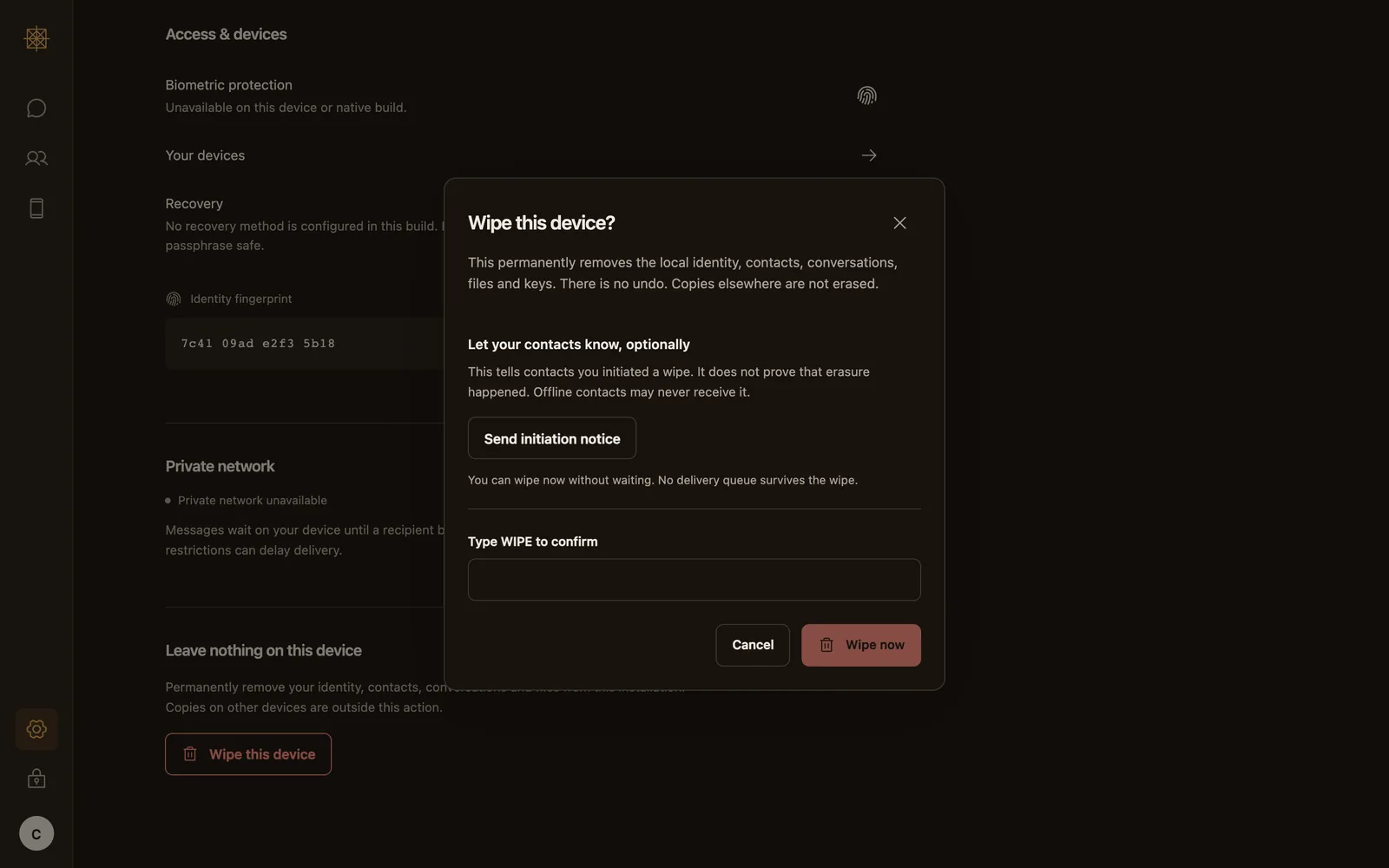
You can wipe the device at any time. The wipe is designed to destroy the keys that unlock local data and then remove the app’s files, without waiting for the network. You can let contacts know you started a wipe, but the notice says only that; it is not proof that anything was erased anywhere else.
What is checked, what is still a plan, and my part
I defined the product, its principles and its red lines, and I direct the build: the specification, the design decisions, the order of the work and the review of what gets built. The code is written with AI coding agents working from that specification, and a claim only counts when it points to a recorded test and states that test’s limits.
ANANSI is not yet published. The current version is being rebuilt around stricter encrypted storage and does not yet work end to end. macOS and Android come first; iOS, Windows and Linux are part of the plan. The screens here are the real interface with sample data, not a working conversation.
- Tested in earlier versions: text, files and voice notes sent between two test devices over the real Tor network.
- Built on established work: encryption uses the Signal project’s published library, not a homemade scheme.
- Still open: groups and calls exist only as experimental parts. The app has not been tested on a physical Android phone yet, and there is no signed macOS build.
- Not done: no independent security review. Until there is one, nothing here is a security guarantee.
More screens
Next project